How to Build a Personal Portfolio That Works on Mobile First

Most people will meet your portfolio on a phone. A recruiter skimming between meetings, a client forwarding a link to a colleague, a stranger who tapped through from a message. They will not resize a browser window to admire your grid. They will see one column, a thumb, and about four seconds of patience.
That changes what matters. Designing for the smallest screen first isn't a ritual you perform for credibility; it's a constraint that forces you to decide what the site is actually for. Here's how to plan, build, and test a portfolio that holds up on a phone without becoming a stripped-down apology for the desktop version.
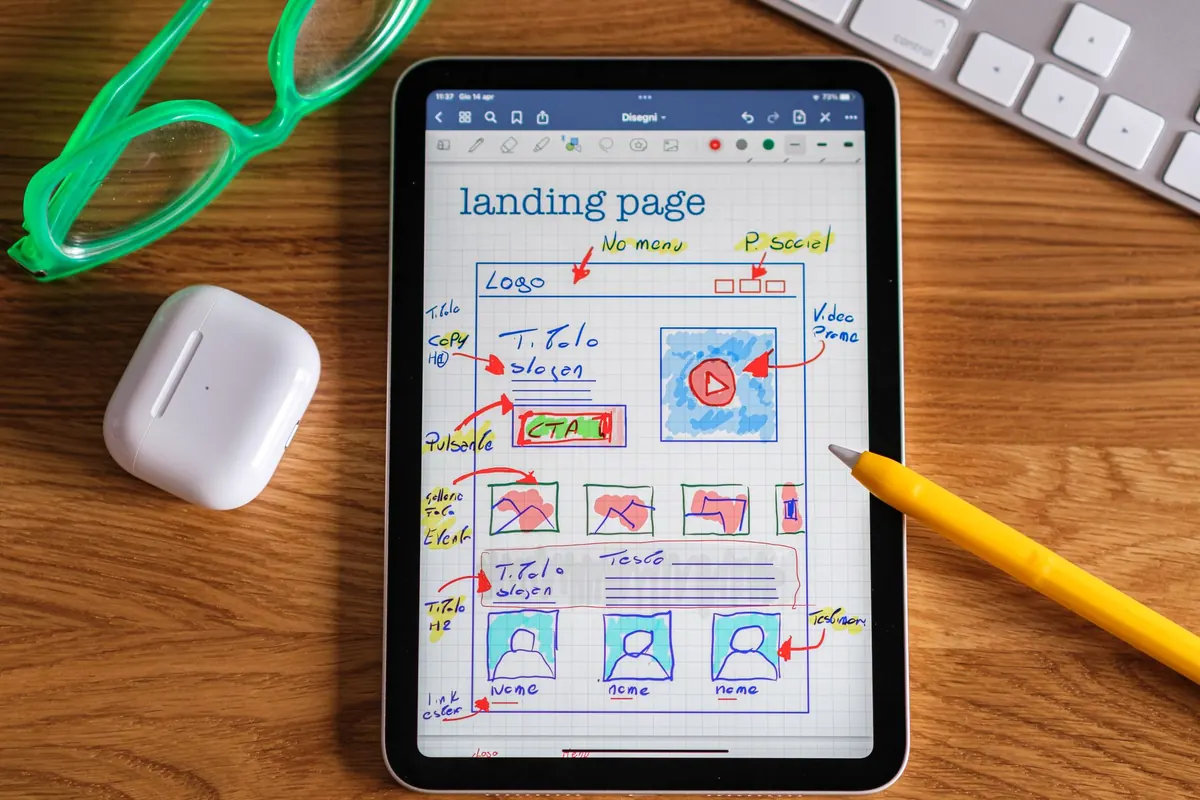
Before you open a design tool, write the phone version as plain text. One column, top to bottom. What should a stranger read first? Usually a name, a role in a single line, and the strongest piece of work you have. Everything else queues behind that.
Then ask of each block: does this earn its place on a 390-pixel-wide screen? Service grids, animated skill bars, and long paragraphs about your philosophy are the first things to go when space is tight — and that's a useful signal. If a section can't survive the small screen, it was probably decoration on the large one too.
Give the page three jobs and no more: show the work clearly without pinch-zooming, make it obvious what you do and who you do it for, and keep contact one tap away. Any design decision that doesn't serve one of those is optional. That discipline is easier to hold onto than any grid system.
Project images are where most portfolios fall apart on mobile. A wide 16:9 hero that looks cinematic on a laptop becomes a thin letterbox on a phone, and a group shot cropped to the centre loses the faces that made it worth showing. Decide the crop before you upload, not after. Often that means making a portrait or square version of each thumbnail deliberately, rather than letting the browser guess.
Set a fixed aspect ratio for the thumbnails in CSS so the layout doesn't jump as images arrive. Serve one compressed image per project in the list view, and let the full gallery load only after a tap. WebP with a JPEG fallback is a safe pairing; check the file size of your largest hero image and imagine downloading it on a train with two bars of signal. Lazy-loading is worth adding to gallery images below the fold, but not to the first image on the page, which should appear immediately.
Keep each project to three to five images. Twenty screenshots do not demonstrate range; they demonstrate that you didn't edit.
A phone is held in one hand, and the thumb naturally lands on the lower half of the screen. Put your most important destinations there, or keep the menu so short that reaching it barely matters. If you only have four sections — work, about, contact, and perhaps a CV — a simple text row or horizontally scrolling chips will beat a hamburger menu that hides everything behind an extra tap.
If you do use a full-screen menu, make the close button large and place it in the same corner as the opener. Reaching to the opposite top corner with a thumb is awkward, and awkward navigation reads as broken navigation. Tap targets should be at least 44 pixels square, with real space between them, and the current section should stay visibly marked as people scroll.
A few small habits help more than clever animation: make the site name a working link home, keep the header short so it doesn't eat a third of the viewport, and check that the browser's back button behaves the way a visitor expects. Hover states are decoration on a phone — never put essential information inside one.
People should not have to solve a puzzle to email you. Put your address as real, selectable text, wrapped in a mailto link so tapping opens the mail app. If you're happy to take calls, add a tel link too. Repeat contact details in the footer of every page rather than hiding them on a separate contact page that half your visitors will never open.
Consider a slim sticky bar that appears after a short scroll with a single "Get in touch" button. It's a small piece of code and one of the highest-value additions you can make. A contact form should ask for as little as possible: name, email, message. Use the right input types so phones offer the correct keyboard, turn off autocapitalisation on the email field, and put labels above the fields rather than inside them.
Body text at 16 to 18 pixels is comfortable; 14 is not, and on iOS a font size under 16 pixels in a form field makes the page zoom when the field is focused. Set line height around 1.5, keep paragraphs to a comfortable measure with generous side padding, and avoid pale grey text on white — it looks refined on a bright monitor and unreadable on a phone held at an angle.
Leave more vertical space between sections than feels necessary on a laptop; the small screen compresses everything and the page turns into a wall. If your site runs edge to edge, add safe-area padding at the bottom so the last line of text doesn't sit under the home indicator on newer phones. And read your work back on the device itself: sentences that look crisp in a design file often feel long and windy in the hand.
Browser emulation is useful for layout and misleading for everything else. It won't reproduce font rendering, keyboard behaviour, scroll momentum, or the way the address bar shrinks the viewport as you scroll. Borrow or use at least one small phone and one large one.
Those two silent observers will tell you more than an hour of your own clicking. The place where they pause is the place to fix.
Launch when the phone version is genuinely good, not when every idea has been explored. Then add a project every few months, and once a year open your own site on the smallest phone you can find and try to use it as a stranger would. Check that images still load, that the email address is still current, and that the first line of the page still describes the work you want to be hired for. A portfolio is not a monument. It's a working tool, and the small screen is where it does most of its work.
Photo: Helena Lopes / Pexels