A Beginner's Guide to Writing Project Descriptions for Your Portfolio

Most portfolios have a gallery problem. There are images, a line about "clean, modern design," and a link to the live site — then nothing. A visitor can see that you finished something, but not how you think, and thinking is what gets you hired or commissioned. That gap is where project descriptions earn their keep. A good write-up is not a diary of the work and not a sales pitch. It is a short, structured argument: you understood a problem, made deliberate choices, and left things measurably better.
The structure below is the one I would hand to anyone writing their first three case studies. It takes an afternoon to understand and, once you have a rhythm, about an hour per project to apply.
Nearly every weak project description opens with the artifact. "I designed a website for a small studio." "I built a dashboard." That tells the reader what exists, not why it needed to exist. Open with the situation instead: who was affected, what was breaking, and what it was costing them in time, money or patience.
Weak: "I redesigned the booking page for a small yoga studio."
Stronger: "The studio was taking every booking by hand because the online form broke on phones. I rebuilt the page around a three-field reservation and a schedule you can read without pinching."
Notice that the second version contains no adjectives and still sounds confident. It earns interest because the problem is concrete.
One constraint: pick a single problem per write-up. Real projects are messy and usually have five problems tangled together. If you try to cover all of them, the description becomes a summary and the reader stops caring. Choose the one or two problems that actually shaped your decisions, and let the rest go. A focused case study about a booking form will be read. A comprehensive one about a whole rebrand rarely is.
This is where most write-ups turn into a timeline: research in week one, wireframes in week two, revisions, launch. Nobody needs the calendar. What readers want to know is how you decided, because that is the part they cannot see in the final screenshots.
Two paragraphs are usually enough. Answer three questions in plain language:
That third question is the most underused. Naming a trade-off proves judgment. "I kept the two-step form instead of collapsing it into one screen, because the studio needs a phone number to reschedule a class" says more about how you work than any list of tools.
A feature list — responsive, accessible, built with a particular framework — describes the artifact. Decisions describe you. The difference is the word "because."
Feature: "Mobile-first layout with a sticky call-to-action." Decision: "I moved the schedule above the fold and put the booking button in a sticky bar, because almost all of the studio's traffic came from phones and the button was previously two scrolls down."
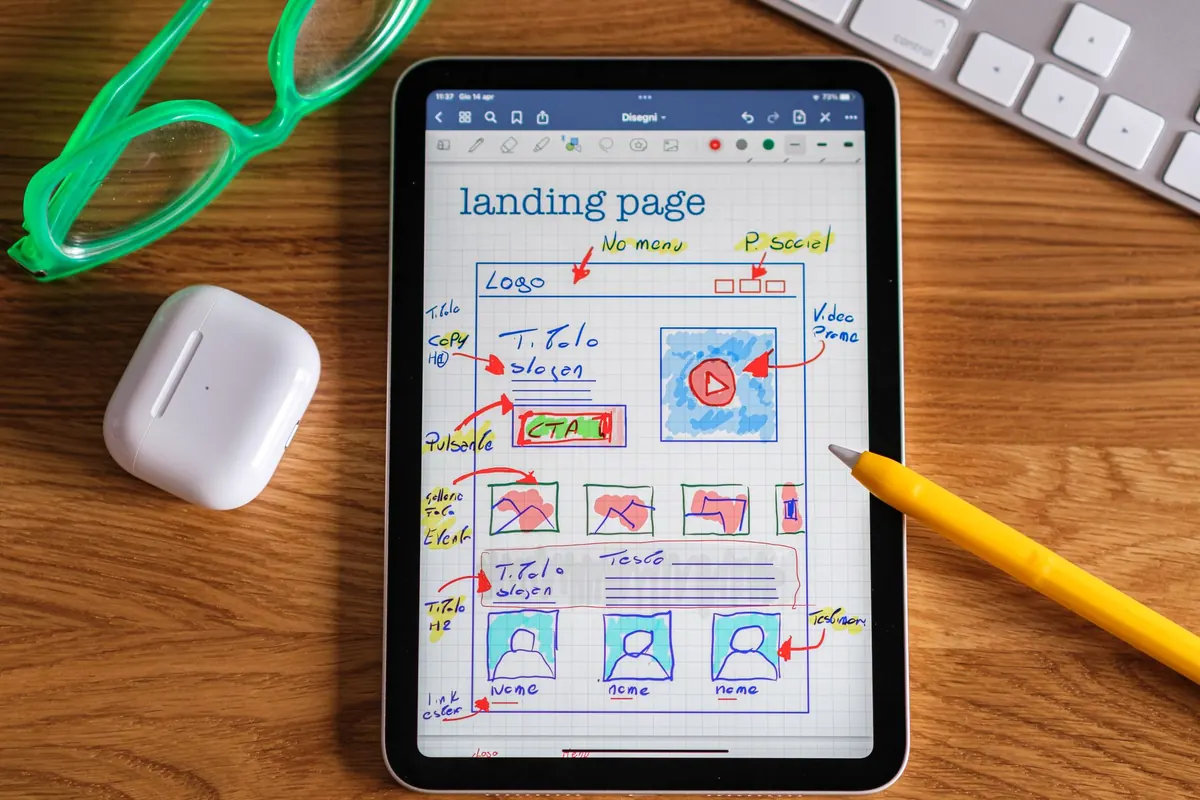
If the project had a central move — a new information architecture, a rewritten onboarding email, a rebuilt checkout — give it a short paragraph of its own before you mention anything else. Show it if you can: one annotated screenshot beats three generic mockups. Then support it with two or three secondary choices you are proud of, each with its reason attached.
Tools matter when they explain a constraint or a result. They do not matter as a badge collection. If the choice of platform affected speed, cost or maintenance, say so. Otherwise, one line is plenty.
End the story with what changed. Numbers are the strongest form of proof, but only if they are real and honestly framed.
Good sources of evidence include a before-and-after you actually measured, time saved per week, page weight or load time, the number of support messages that stopped arriving, or how five people handled a task in a short usability test. If the client reported the change themselves, say that: "The owner reported handling bookings without the daily phone tag." Attribution matters. A reader who spots inflation will quietly discount everything else on the page.
Plenty of good projects have no metrics at all. That is fine, as long as you are honest about it. Describe what changed in plain terms and explain how you know. What you should never do is round a hunch up into a percentage. If you did not measure it, do not put a number on it.
When you are staring at a blank page, this sequence does most of the work. Aim for 350 to 600 words in total.
Fill it in roughly, badly, in one sitting. Then leave it overnight.
The first draft is always longer than the piece deserves. When you come back to it, cut in this order: adjectives first, then background, then anything that repeats a point you already made. Read it aloud — the sentences that trip you are the ones a stranger will reread and abandon.
A few more habits worth keeping:
The hardest part of a portfolio is rarely the writing. It is remembering, six months later, why you made a decision that seemed obvious at the time. Keep a running note file during each project — the problem in one sentence, the decisions as you make them, the result when it lands. Draft the description before you archive the files, while the trade-offs are still annoying you.
Three finished write-ups in this structure will do more for your portfolio than thirty thumbnails. Start with the project you understand best, and give the problem the first paragraph it deserves.
Photo: Porapak Apichodilok / Pexels
Previous Post
Portfolio Case Study: Designing a Local Café Brand Identity
Next Post
Common Portfolio Mistakes That Make Visitors Leave Quickly